
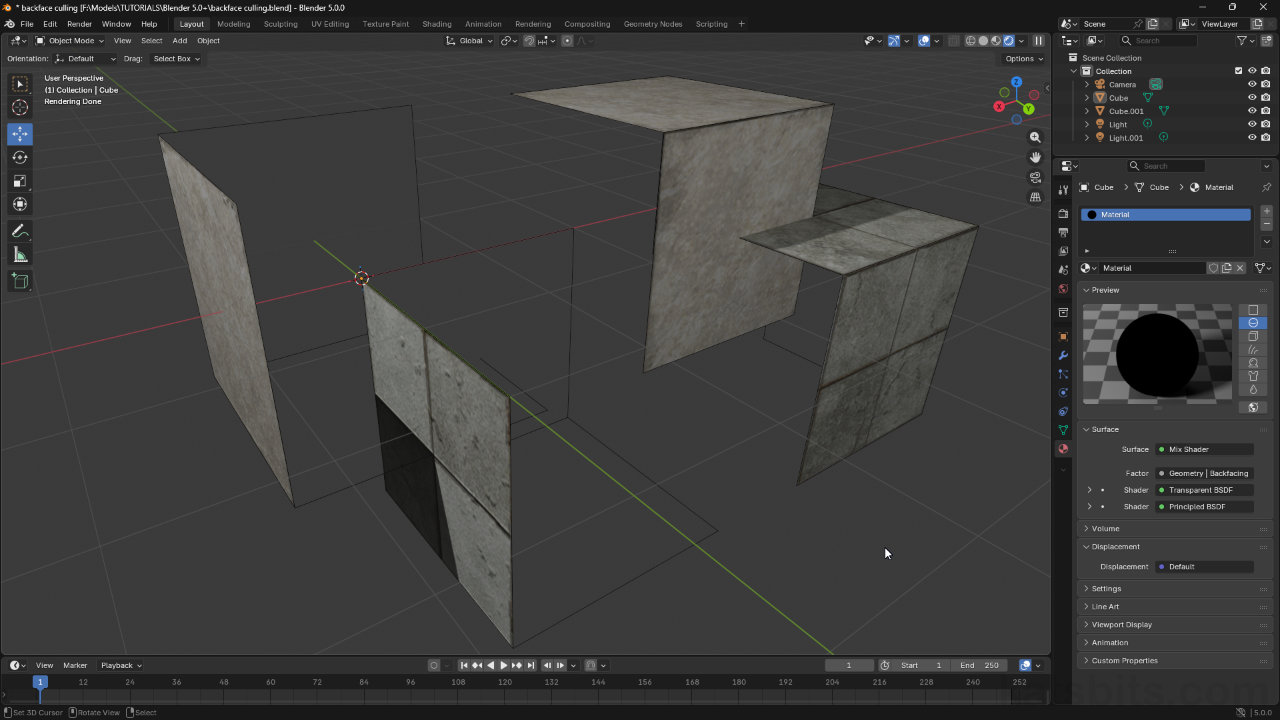
Blender 5.x & Backface Culling in Cycles
Table of Contents
Description
For Blender 5.x series, setting up Backface Culling using Cycles render engine is the same as it is for previous versions post 4.2, it requires a specific material structure to force backward facing (back facing) surfaces to be rendered transparent and thus ‘culled’. This is typically done through use of the Transparent BSDF and Geometry nodes.
Duration: total c. 5 mins (00:05:00).
Info: 1080p.
Suitability: Beginner+.
Source: n/a.
Product ID: n/a.
Design note: additional considerations for properly setting up backface culling materials;
Important: the Backface Culling » Camera option found in Material Properties under Viewport Display – Viewport Display » Settings » Backface Culling, only works in Material Preview viewport shading; Render mode ignores it. To enable backface culling for both Material Preview and Render display the modified shader has to be used.Shader Editor
For Blender 5.0 there has been a slight menu-item reorganisation, some Add options may not appear where they were previously. Be sure to be using Transparent BSDF and not Translucent BSDF.
• Geometry – Add » Input » Geometry
• Mix Shader – Add » Shader » Mix Shader
• Transparent BSDF – Add » Shader » Transparent BSDFNode Tree
Assuming a standard material setup, the node tree for backface culling should basically comprise two node ‘groups’;
• ‘texture’ group
• ‘geometry’ groupBoth effectively route through the Shader input channels of Mix Shader from their respective BSDF outputs. For more complex shaders, the final ‘output’, from Principled BSDF for example, should always pass through the same Mix Shader linking the Geometry node group.
The node-tree for a backface culled material basically comprises two groups; a texture group and a geometry group, both passing through the Mix Shader.

Timestamps
Times are approximate;
– n/a
