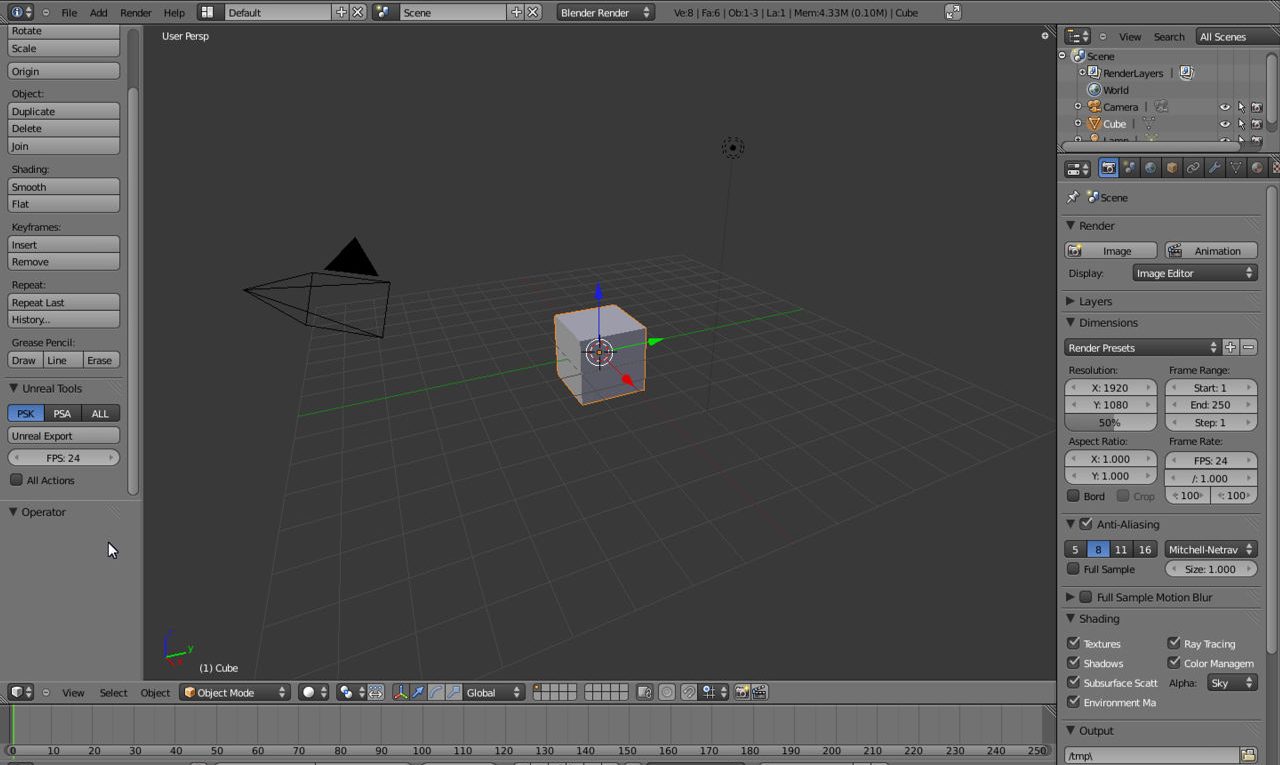
Install Unreal *.psa/*.psk AddOn for Blender
The import/export scripts for Blender aren’t standard scripts, they’re an “Add-On” and as such need to be ‘activated’ and loaded before they can be used. The following short tutorial explains how to do this.
Resources
– View Properties & camera clip
– Viewport transparency
– Essential keyboard shortcuts
Activating Add-Ons
All “Add-Ons” are located in the “User Preferences” area of Blender which can be accessed from the “File” menu via “File » User Preferences” or the keyboard shortcut “Ctrl+Alt+U” (first image below). This opens a separate window showing various application options – “Interface“, “Editing” and so on, click “Add-Ons“. By default “All” is selected, click “Import/Export” do selectively display on those tools associated with the import and exporting of models into and out from Blender.
Scroll down the list where necessary to “Import/Export: Export Skeletal Mesh/Animation Data” and “Import/Export: Import Unreal Skeleton Mesh (psk)” and click both corresponding check boxes to the right of each entry, activating the tools (second image below). Once done, either close the window or if the tools are to be loaded as defaults, i.e. the PSK/PSA tools need to be loaded every time Blender is opened, click the “Save As Default” button bottom-left of the window, this will automatically close the preferences and load the psk/psa Add-Ons into the Tool Shelf ready for use (last image below).
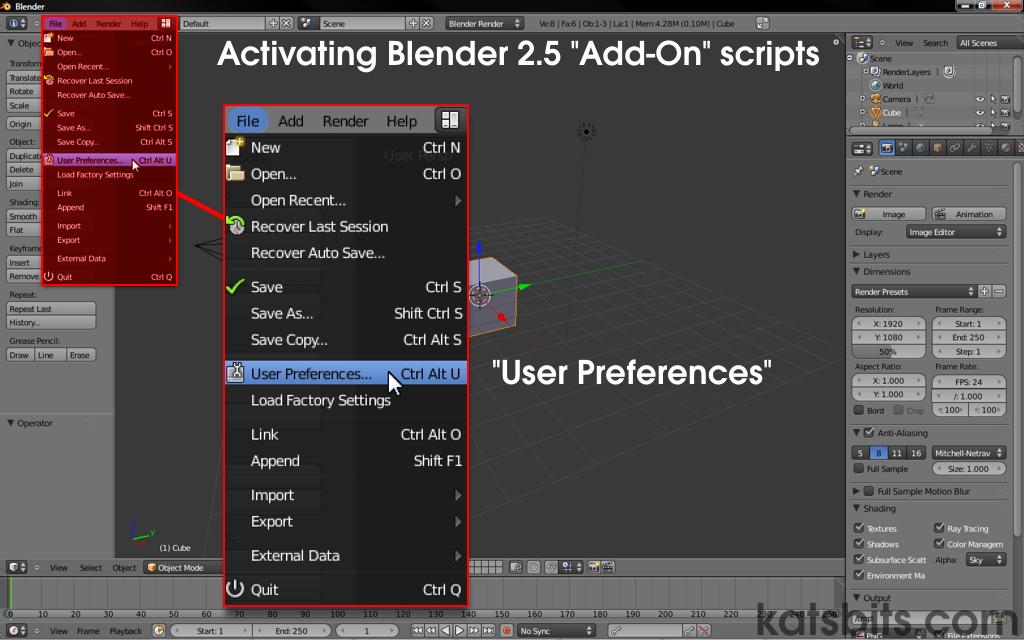
File User Preferences to enable Add-Ons
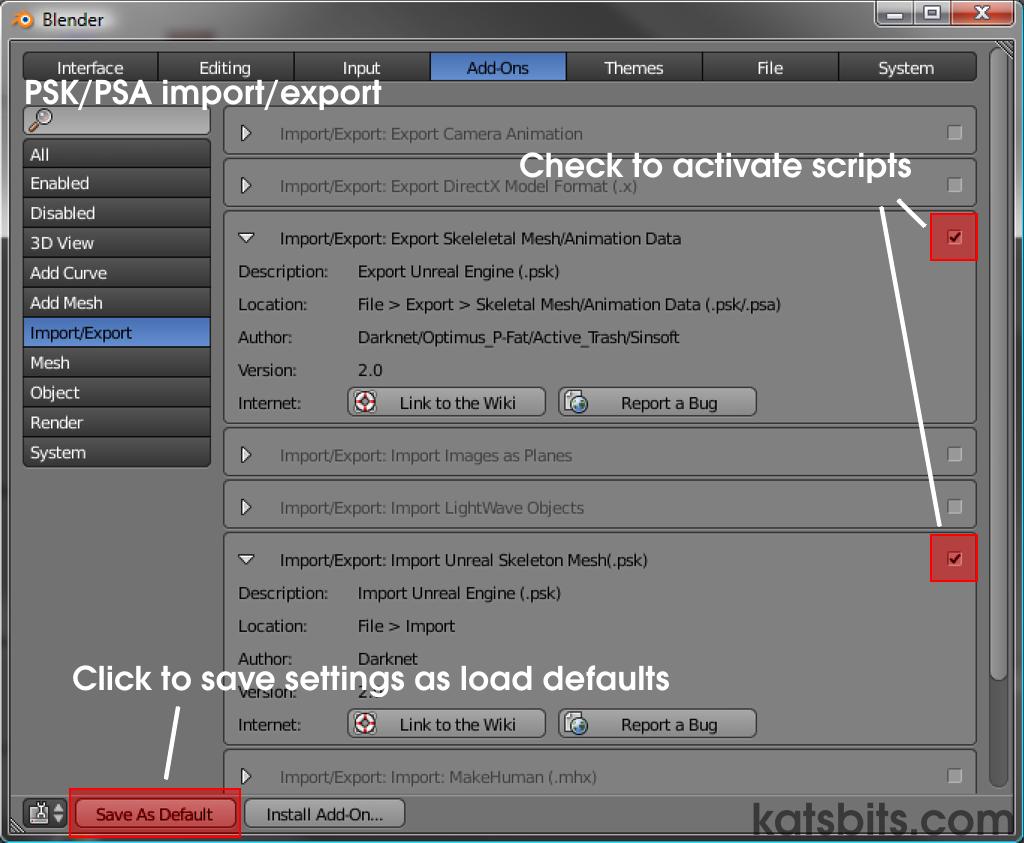
Selecting Add-On to activate it
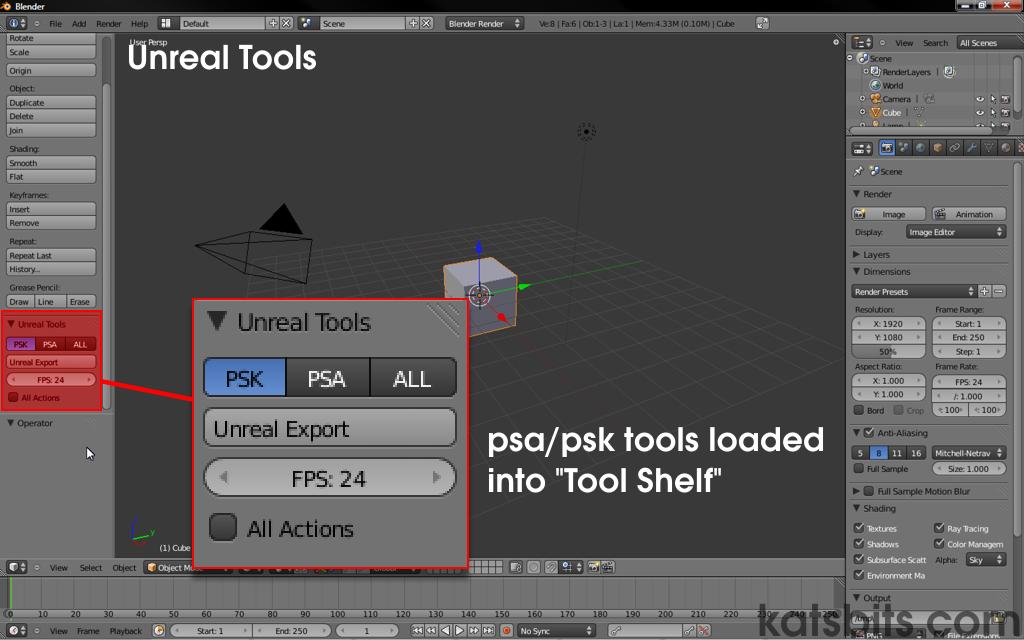
Add-On loaded into the ToolShelf after activation
Other useful Add-Ons
A number of other useful game related Add-Ons are available from the Add-Ons preference panel, all of which are activated in the same way as the above PSA/PSK tools. These include;
- Blender to XNA import/export.
- Blender to DirectX *.x export.
- Blizzard *.m3 import.
- Import Lightwave *.lwo files.

