Export models from Blender with Smooth Groups for Unreal/UDK
Depending upon the version of Blender being used, exporting ASE models with fully functional Smooth Group (Mesh Smoothing) can be tricky due to the way UnrealEd and UDK treat certain formatting structures – often although an ASE may be ‘valid’ in a general sense, on import into Unreal/UDK smoothing will have been removed.
The following tutorial explains some of the reasoning behind this problem and ways to either correct or mitigate it.
Important: for Unreal editing ASE and their use is now somewhat obsolete with preference being given to the much more flexible FBX format.
Introduction
When making content specifically for use in Unreal editingThere are basically two guaranteed ways to edit a 3D model to create "Mesh Smoothing" or "Smooth Groups" in Blender;
- Manually – by selecting individual faces or groups of faces in "Edit" mode and using "Split Selected" ("Y")
- Automatically using the "Split Edge" modifier, controlled by either an angle of tolerance or suitably marked edges.
The end results of both the manual and automatic process is a mesh that has smoothing formed from groups of faces that are split from their neighbours at their respective vertices creating a series or groups of faces with ‘coincidental’ vertices as their respective borders.

Using Split Face in edit mode to set UT smooth groups in Blender 3D

Using edge split modifier to set smooth groups on models used for UT3
Exporting models as UE3 friendly ASE
Load in to Blender 3D the UE3 to ASE script from here and select the object or objects to be exported; make sure that modifiers are applied and the mesh is triangulated – for Unreal Engine 3 based games it’s not necessary to triangulate a mesh as the technology can use meshes left in ‘quads’ (it’s not recommended though) – this is just to ensure there aren’t any surprises in store due to the way the export script may interpret polygon rotation or face splits.
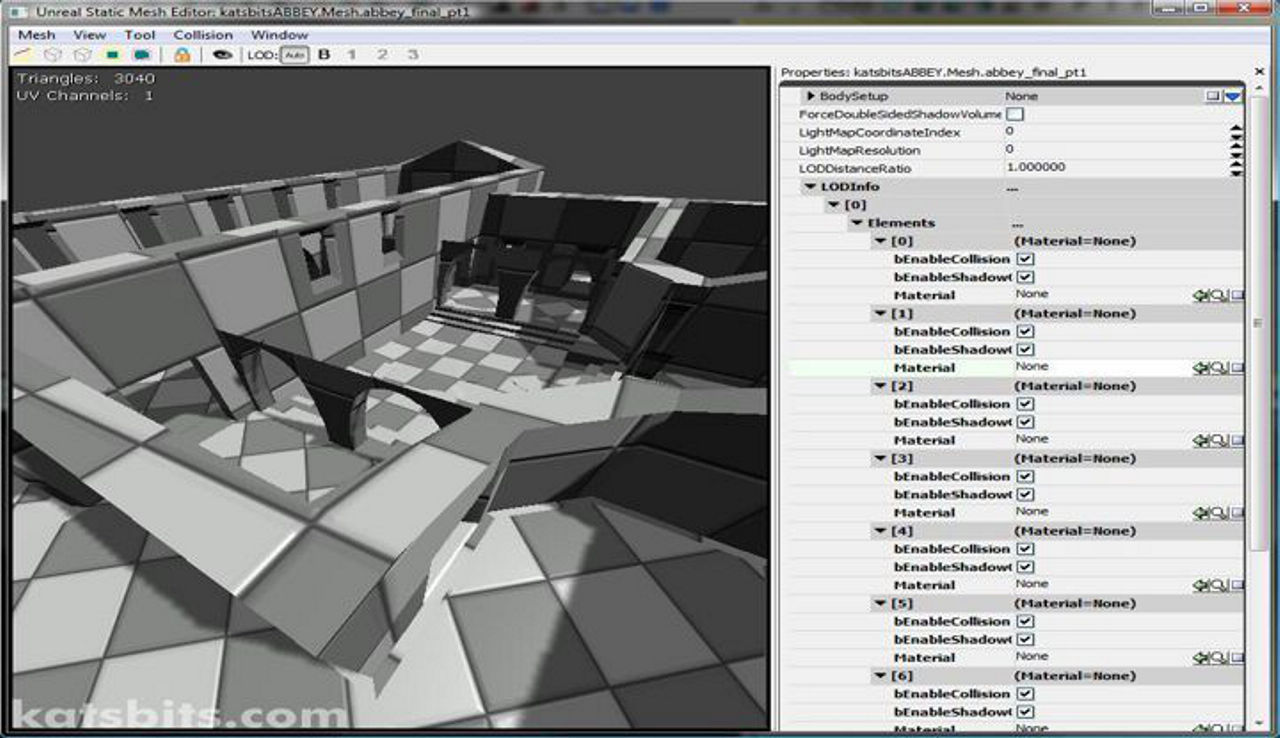
Once done, and depending on how you installed the script, simply export either from the "File >> Export…" menu or by pressing "Alt+P" to run it from the text editor view. On importing the mesh into Unreal using via Generic Browser (for UT3), it should appear with all the smoothing that was set up in Blender applied to the model in the Static Mesh editor or main level editor.

An exported ASE model from Blender shown in Unreal’s Generic Browser with correct smoothing. Material slots are set but texture not applied in the image above so the model is covered in UT3’s default materials
Conclusion
There is a caveat with exporting correctly mesh smoothed ASE models to Unreal and that’s the Unreal Developers Kit. For some reason UDK appears to be behaving in a slightly different way to previous iterations of Unreal 3 technology, so that with regards to smoothing, ASE models exported from Blender often prove to be a little tricky to get fully working despite what may otherwise be a properly functioning and smoothed mesh in UE3 itself. At present there doesn’t appear to be a specific reason for this behaviour so it means means additional tweaking may be necessary to export ASE models from Blender with functional mesh smoothing in that particular game development environment.

